← Dev Tools

Vulnerability Scanner

Scan any website for security vulnerabilities. Get actionable findings with fix recommendations specific to your tech stack.

18 Scanner Modules
40+ Technologies Detected
21 Secret Patterns
3 Scan Depths
Step 1

Enter a URL and choose scan depth

Paste any URL, pick between Quick (~5s), Standard (~20s), or Comprehensive (~45s) scan depth. Each tier adds more modules for deeper analysis.
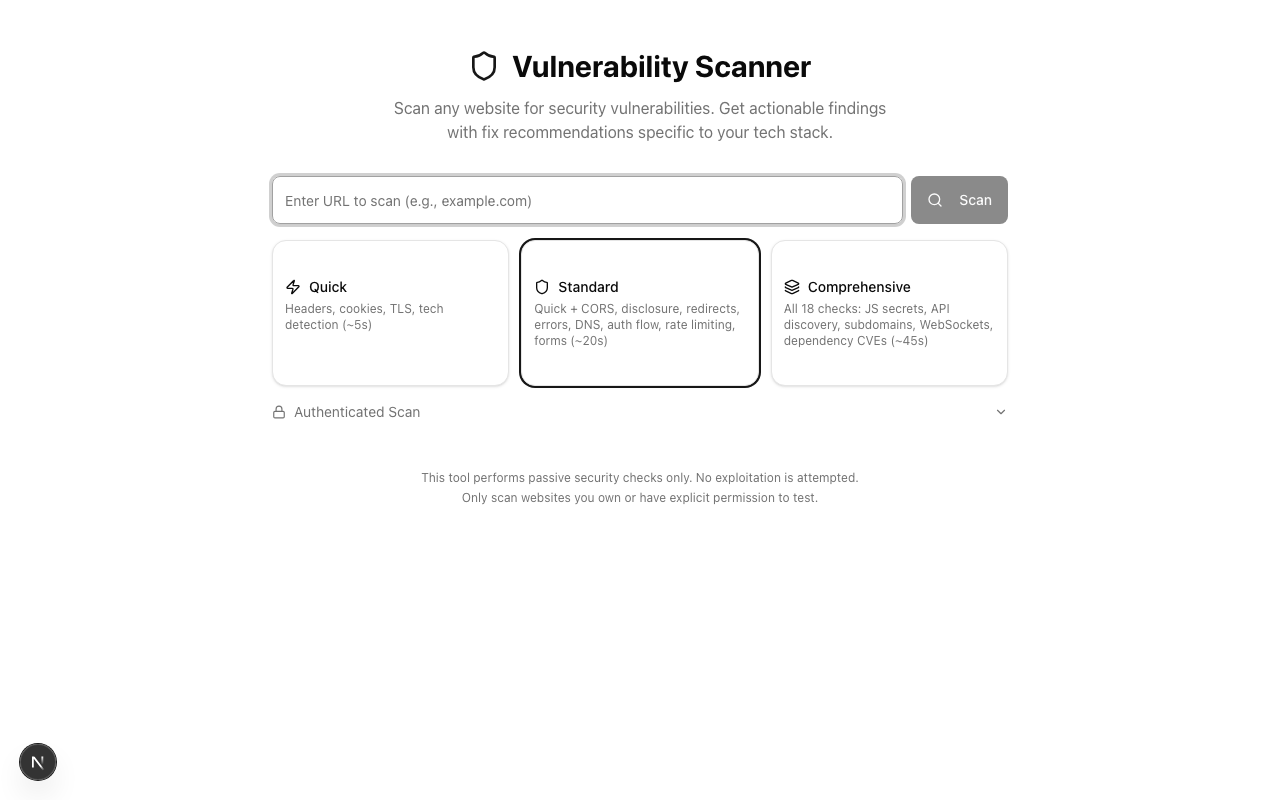
Vulnerability Scanner homepage showing URL input field and three scan depth options
Clean interface with URL input and scan depth selector. Three tiers cover different breadths of analysis.
Step 2 (optional)

Scan pages behind login

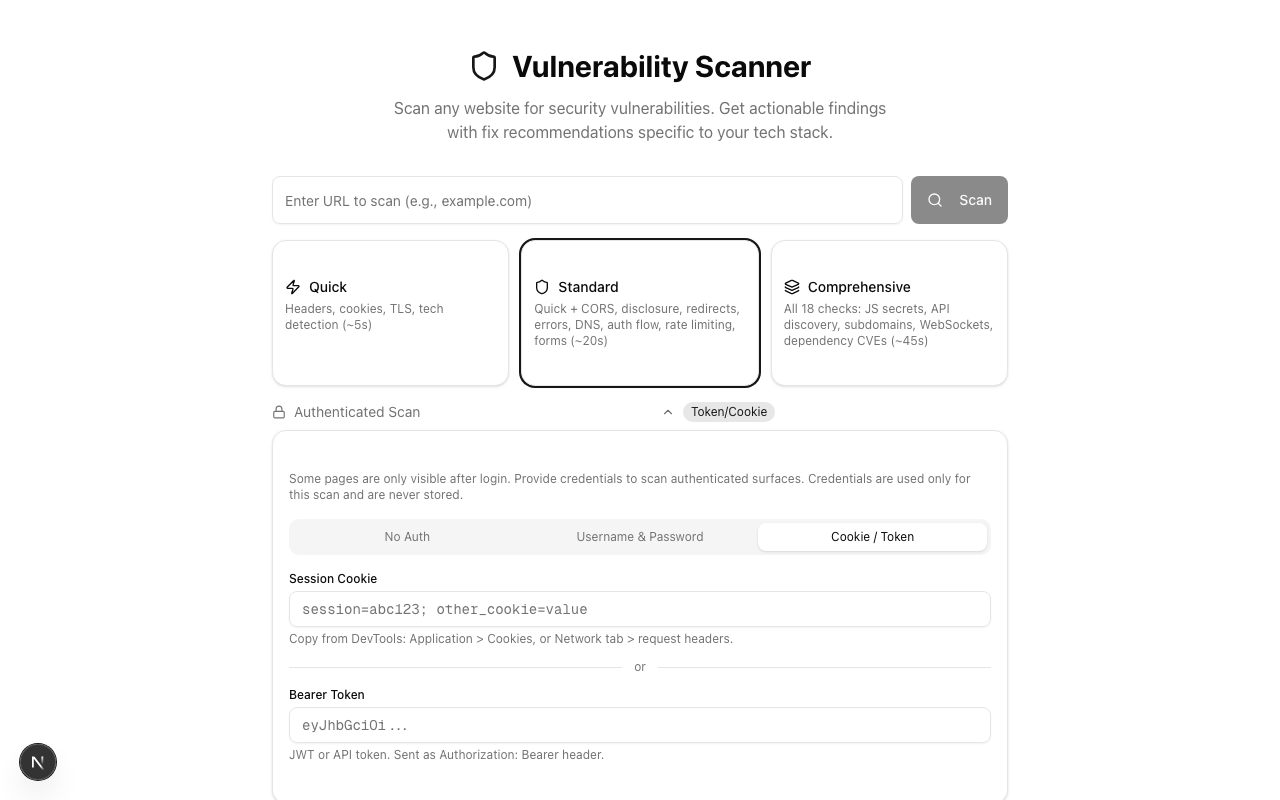
Some vulnerabilities only appear on authenticated pages. Two modes let you scan behind login: enter credentials for auto-login, or paste a session cookie or bearer token directly.
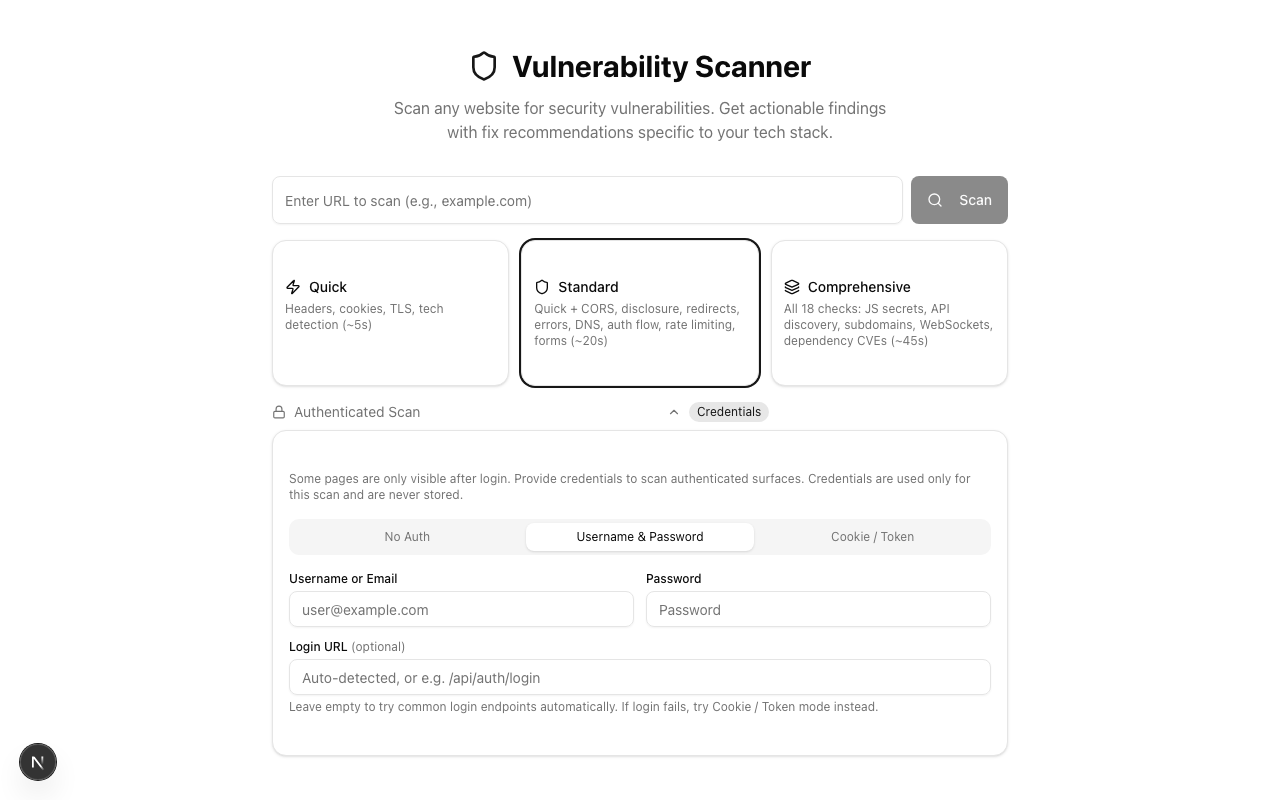
Username and Password authentication mode
Simple mode: enter credentials and the scanner attempts auto-login.
Cookie / Token authentication mode
Advanced mode: paste a session cookie or bearer token directly.
Step 3

Watch results stream in real time

The scan runs 18 modules in sequence, streaming results as each one completes via Server-Sent Events. You see exactly which modules passed, which found issues, and how many findings each produced.
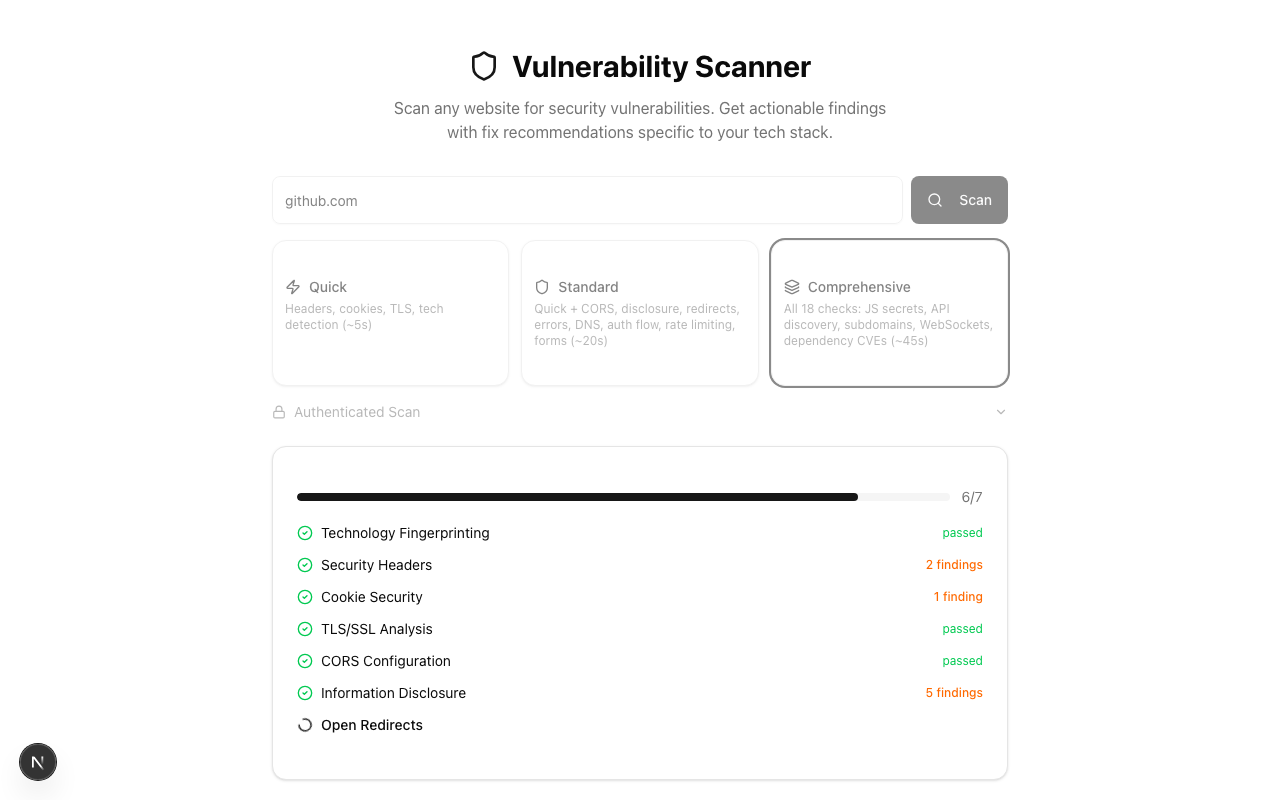
Scan in progress showing module status in real time
Live progress: each module shows its status immediately — passed checks in green, findings in orange.
Results

Clear severity breakdown at a glance

Results show a severity breakdown (Critical, High, Medium, Low, Info, Passed), detected technology stack, and action buttons for exporting or generating AI fix prompts.
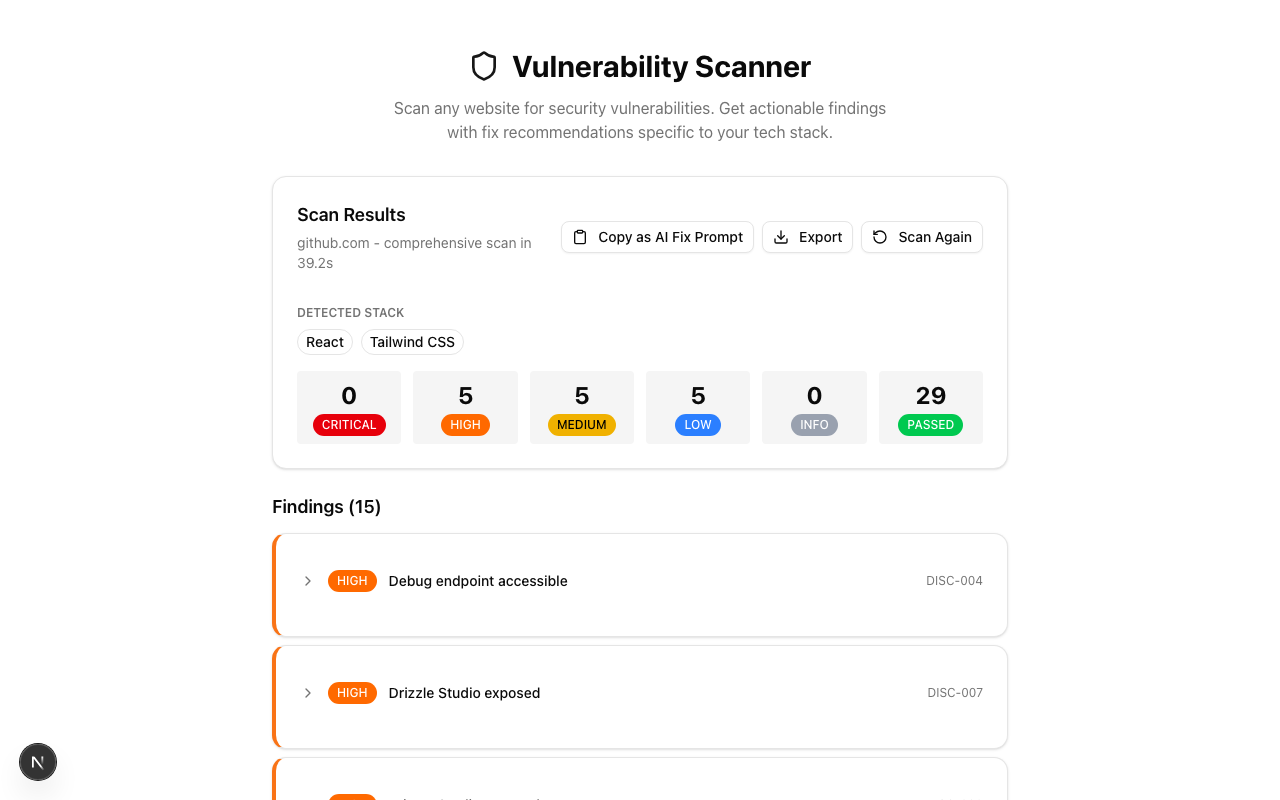
Scan results showing severity badges, tech stack detection, and export buttons
Results summary: severity badges, tech stack detection, and export buttons.
Findings

Detailed findings with evidence and fixes

Each finding expands to show a description, raw evidence, risk explanation, and a specific fix recommendation tailored to your detected tech stack.
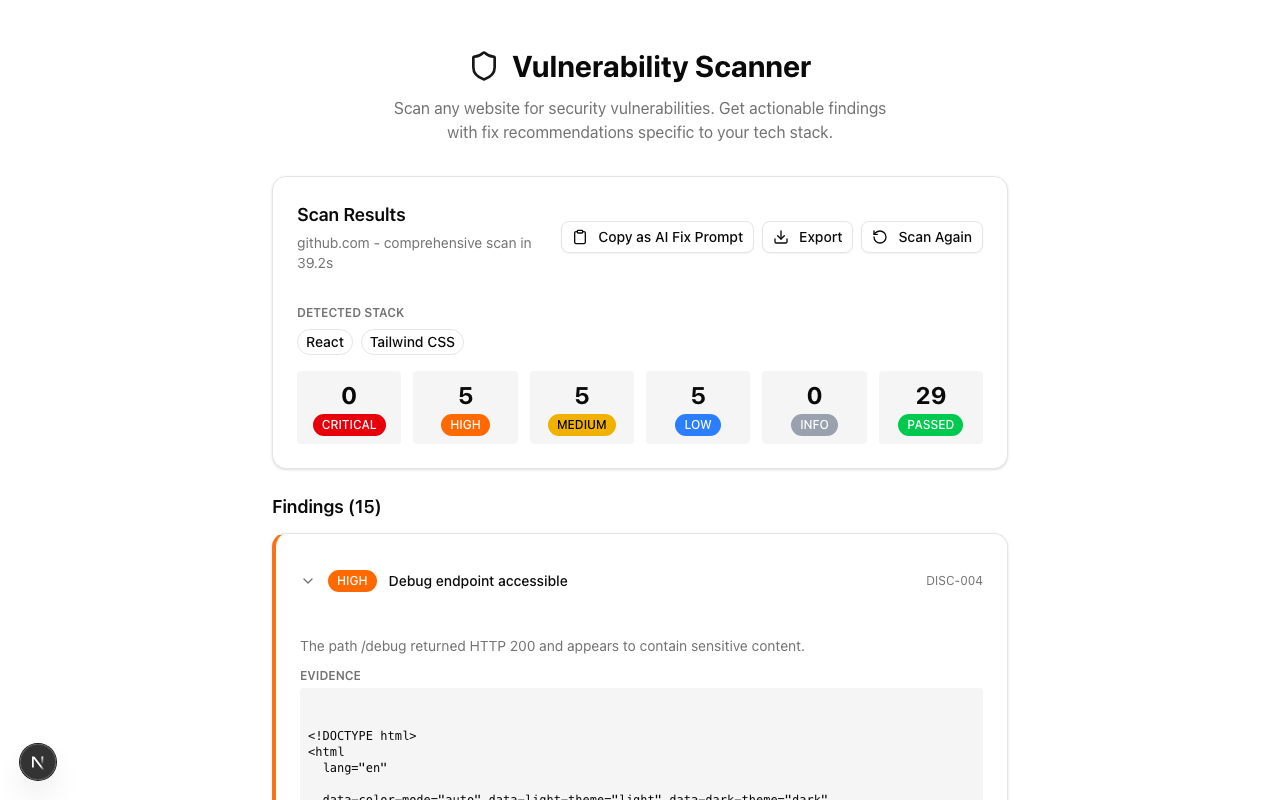
Expanded finding with description, evidence, risk, and fix recommendation
Expanded finding: description, evidence snippet, risk assessment, and a one-click-copy fix recommendation.
Passed Checks

See what you're doing right

Passed checks aren't just a count — each one shows exactly what was validated. From Content-Security-Policy directives to TLS versions, DMARC records to form security.
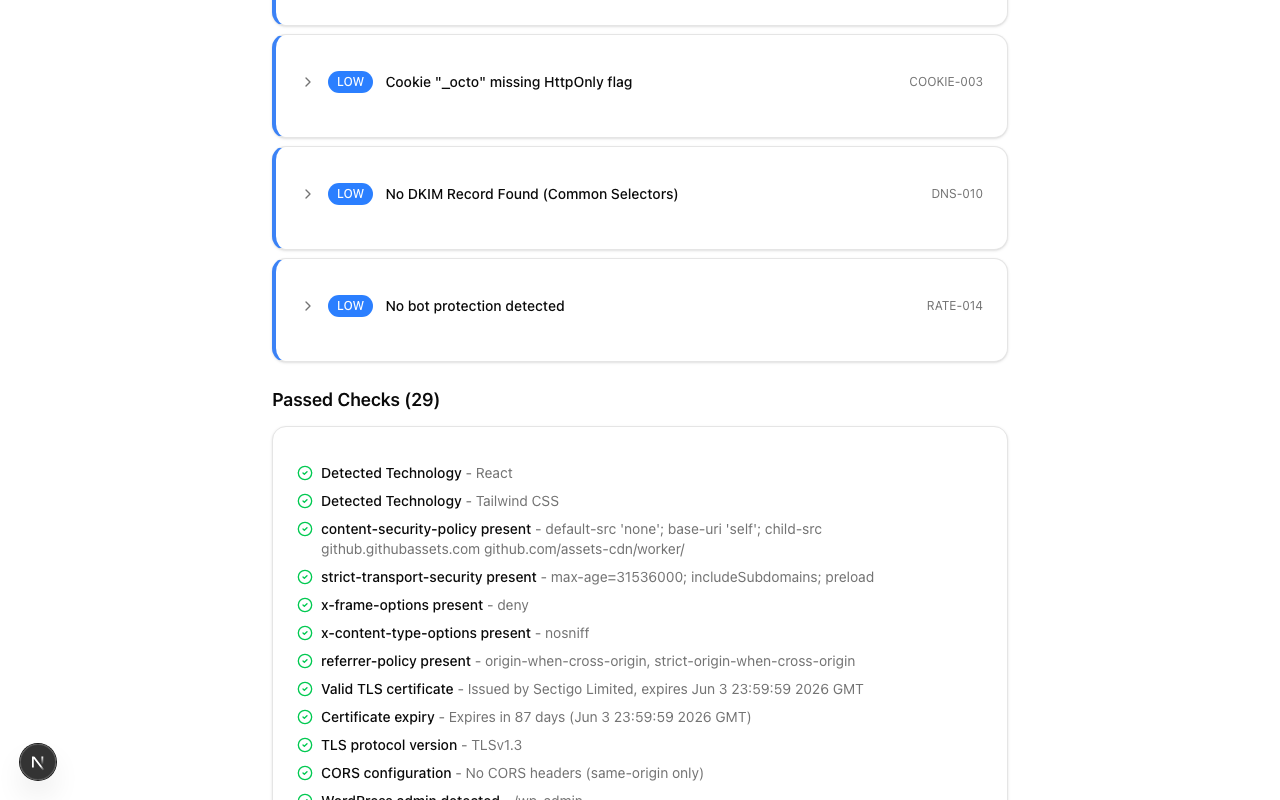
Passed Checks section showing green checkmarks for security validations
29 passed checks: security headers, TLS, CORS, DNS authentication, form security, JS secrets scan, and more.

What it checks

18 modules across three scan depths covering the most important web security surfaces.

Security Headers

CSP, HSTS, X-Frame-Options, X-Content-Type-Options, Referrer-Policy, Permissions-Policy

TLS/SSL Analysis

Certificate validity, expiry, protocol version, issuer verification

Cookie Security

HttpOnly, Secure, SameSite flags, prefix validation

Technology Detection

Fingerprints 40+ technologies from headers, meta tags, and script patterns

CORS Configuration

Tests for overly permissive origins, credential leaks, wildcard misuse

Information Disclosure

Probes for exposed debug endpoints, admin panels, config files, API docs

DNS Security

SPF, DKIM, DMARC validation for email authentication

Client-Side JS Analysis

Scans inline and external scripts for 21 secret patterns (API keys, tokens, credentials)

Rate Limiting

Tests login, API, and sensitive endpoints for brute-force protection

Authentication Flow

Analyzes login forms for secure transport, CSRF protection, session handling

API Discovery

Probes common API paths and checks authentication requirements

Subdomain Enumeration

Discovers subdomains and flags sensitive ones (admin, staging, internal)

Form Security

Checks for CSRF tokens, autocomplete on sensitive fields, action URLs

Open Redirects

Tests common redirect parameters for open redirect vulnerabilities

Error Handling

Checks error responses for stack traces, internal paths, debug info

Mixed Content

Detects HTTP resources loaded on HTTPS pages

WebSocket Security

Checks for unencrypted WebSocket connections and missing auth

Dependency Vulnerabilities

Detects known CVEs in client-side JavaScript libraries

Key features

Beyond scanning, several features help you act on findings quickly.

AI Fix Prompt Export

One-click export of all findings as a structured prompt for Claude Code, Cursor, or any AI coding assistant to fix issues automatically.

Markdown Report

Export scan results as a formatted Markdown report for documentation, compliance, or sharing with your team.

Stack-Specific Fixes

Fix recommendations include code examples tailored to your detected tech stack (Next.js, Express, Nginx, etc.).

SPA-Aware Scanning

Automatically detects single-page apps with catch-all routes to prevent false positives from 200 responses on non-existent paths.

Authenticated Scanning

Scan pages behind login with username/password auto-login or manual cookie/token injection. Credentials are never stored.

Real-Time Streaming

Results stream via Server-Sent Events as each module completes — no waiting for the entire scan to finish.

Vulnerability Scanner performs passive security checks only. No exploitation is attempted.
Only scan websites you own or have explicit permission to test.